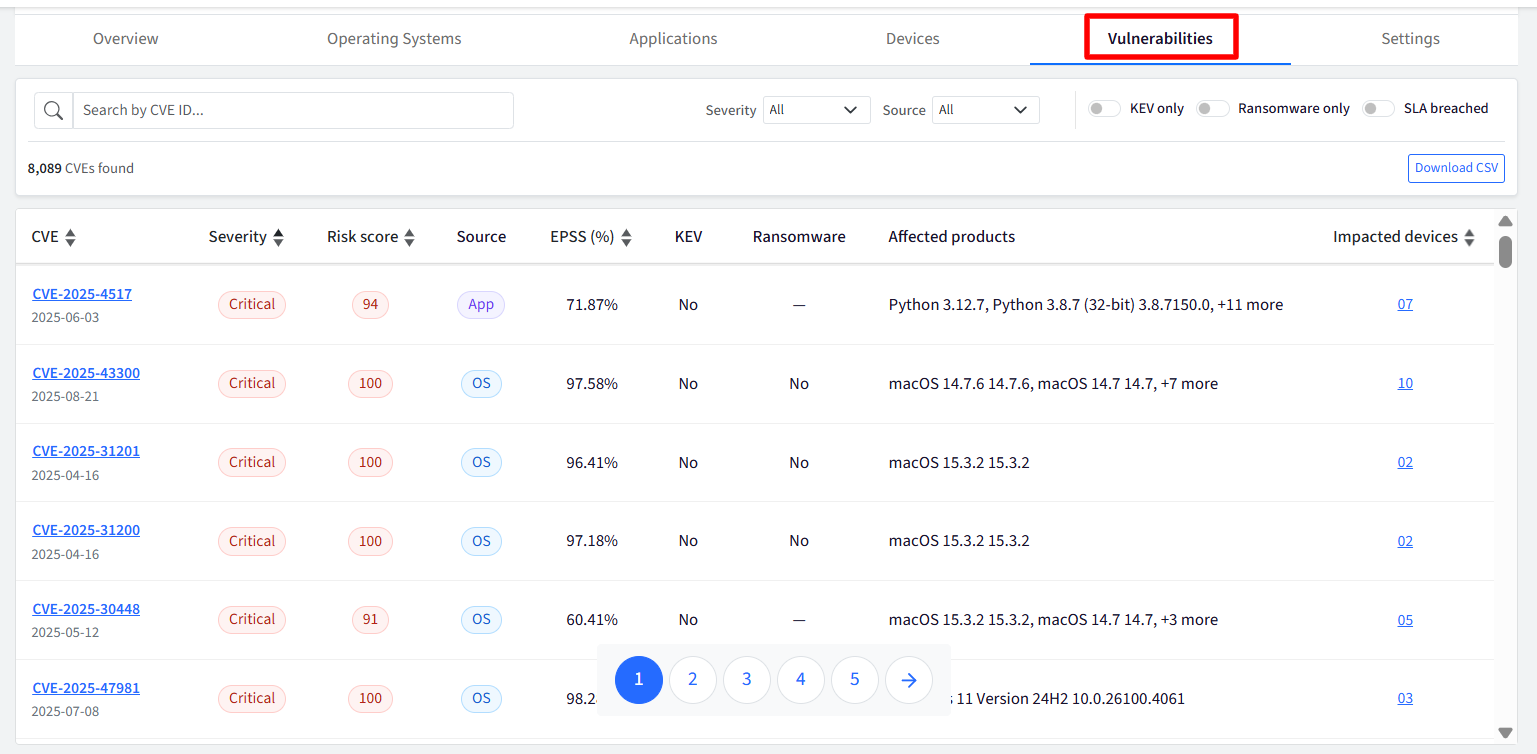
The Vulnerabilities section provides a single, filterable view of all detected CVEs across operating systems and applications. This is the primary workspace for IT administrators to triage, search, sort, bulk-select, and initiate remediation for vulnerabilities. The view dynamically reflects whatever scope is chosen.
Vulnerabilities Table
The main table lists each unique CVE detected across your systems alongside comprehensive risk metrics:
CVE ID: The standard identifier for the vulnerability (e.g.,
CVE-2024-30051). Clicking the CVE ID opens the CVE Details side panel.Severity & Risk Score: The risk score and severity classification badge (Critical, High, Medium, or Low).
Threat Badges: Visual flags indicating active exploitation risk, including KEV, Ransomware.
Source: Identifies whether the flaw impacts an Operating System or a Third-Party Application.
EPSS Score (%)
Affected Products: The Affected products column displays the specific Operating System build or Third-Party Application version installed on your managed endpoints that is vulnerable to that particular CVE.
Impacted Devices: The total count of endpoints where this vulnerability is currently present. Clicking this number opens the side panel filtered to the affected assets list.
Actions & Controls
Search & Dynamic Filtering: Search directly by CVE ID or keyword, or filter by source, severity rating, threat flag (KEV/Ransomware/SLA breached)
Download CSV: Export the currently filtered vulnerability dataset for compliance reporting, auditing, or ticketing integration.
Detailed View (Side Drawer / Slide-over Panel)
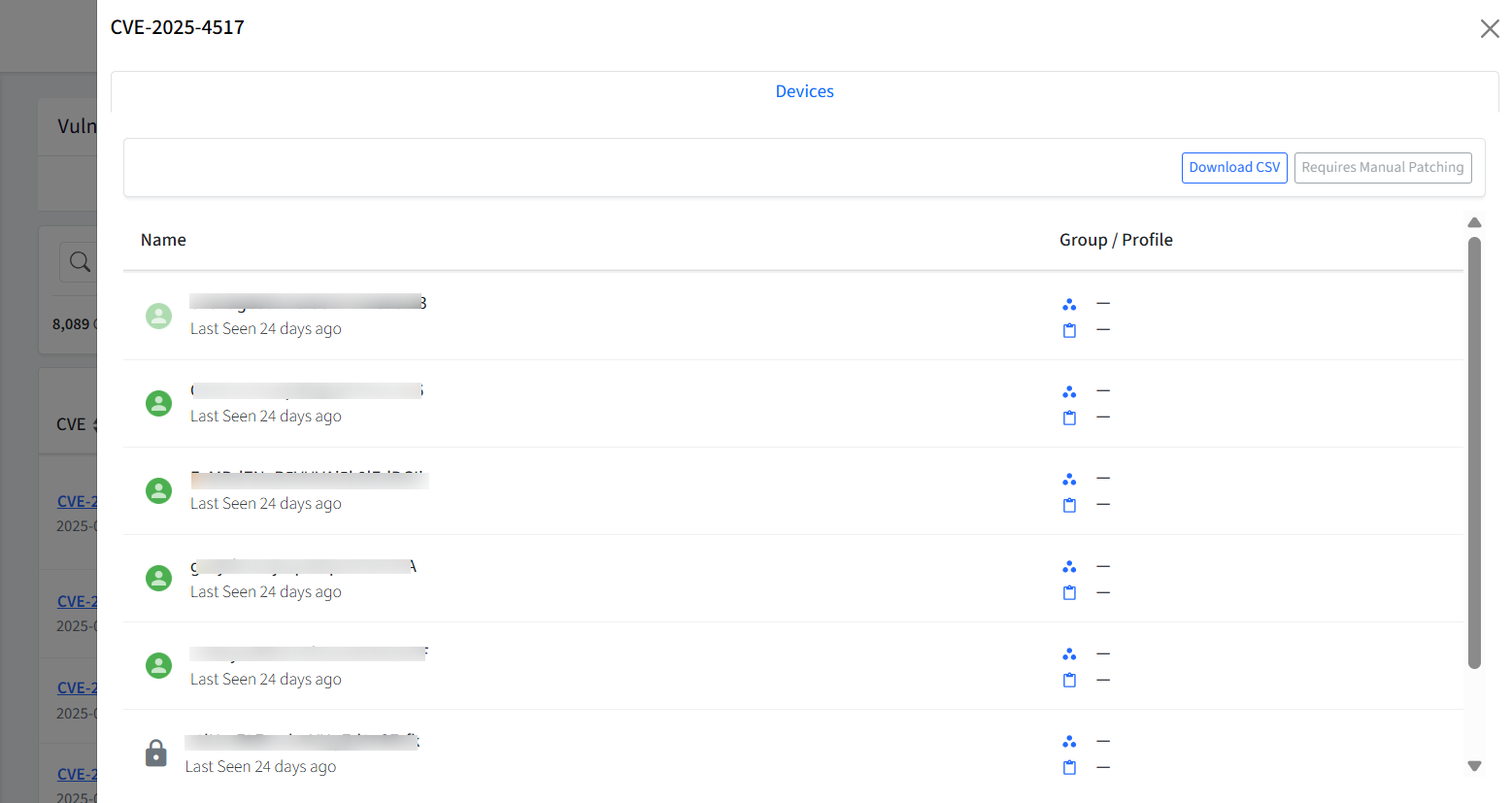
Clicking on any Impacted Devices count in the table opens the Details Side Panel on the right side of the screen.
Patching & Redirection
Manual Patching: The devices are listed and marked with a Requires Manual Patching tag. In such cases, the devices must be patched manually.