Configure Vulnerability Management Settings
Use the Settings tab to configure Vulnerability Management, including vulnerability age calculation, remediation SLAs, and risk thresholds.
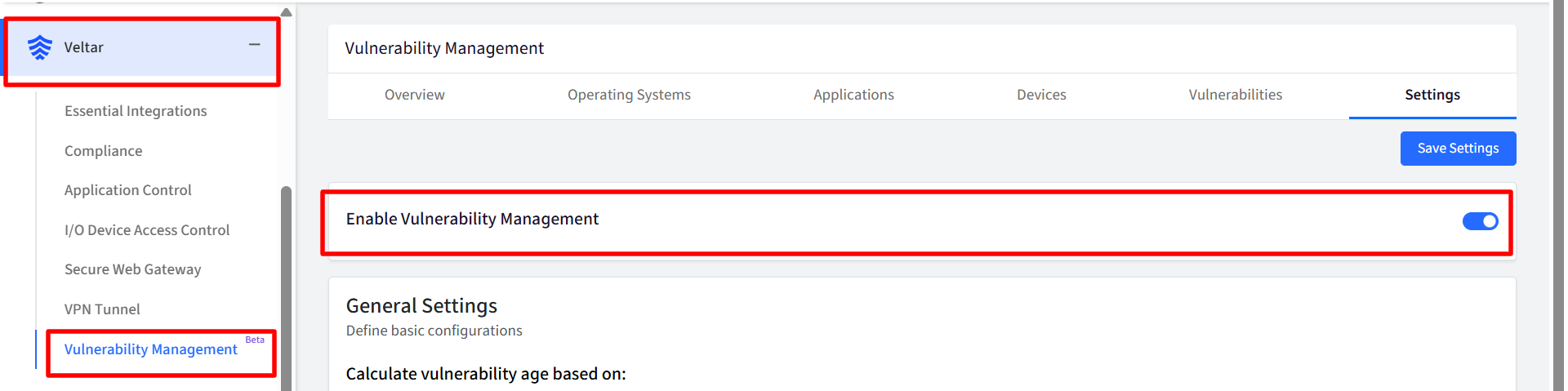
Enable Vulnerability Management
The Enable Scalefusion Vulnerability Management toggle controls whether Vulnerability Management is enabled for your account. Turn on the toggle to enable Vulnerability Management. Once enabled:
The other settings become configurable.
The Save Settings button is enabled.
The Overview, Operating Systems, Vulnerabilities, Devices, and Applications sections become available.
Note: Data becomes available in the other sections after Vulnerability Management is enabled.
General Settings
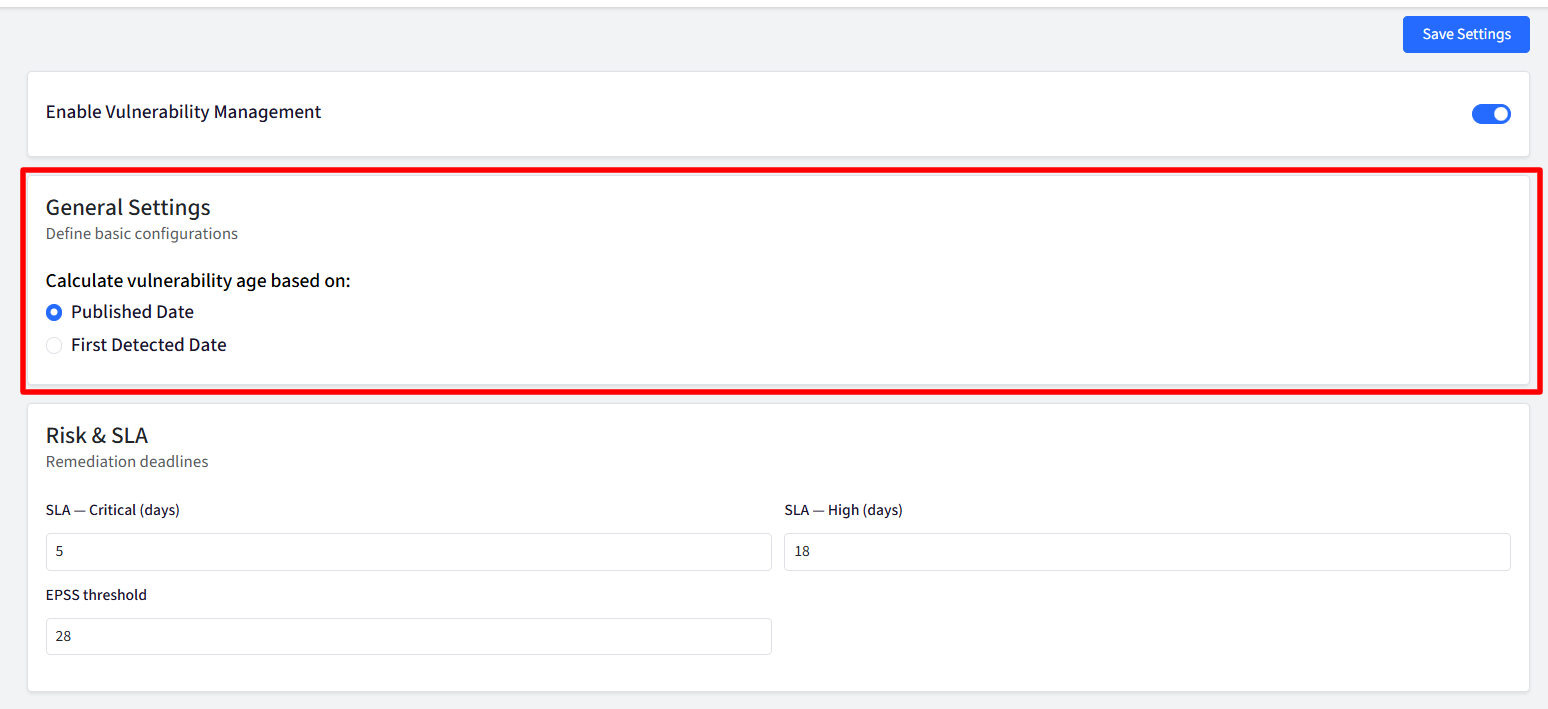
Use General Settings to configure how vulnerability age is calculated.
Calculate vulnerability age based on
Choose the date from which the platform calculates the age of a vulnerability. You can select one of the following options:
Published Date: Calculates the vulnerability age from the date the CVE was published in global vulnerability databases like NVD and MSRC
First Detected Date: Calculates the vulnerability age from the date the CVE was first detected in your environment.
Risk & SLA
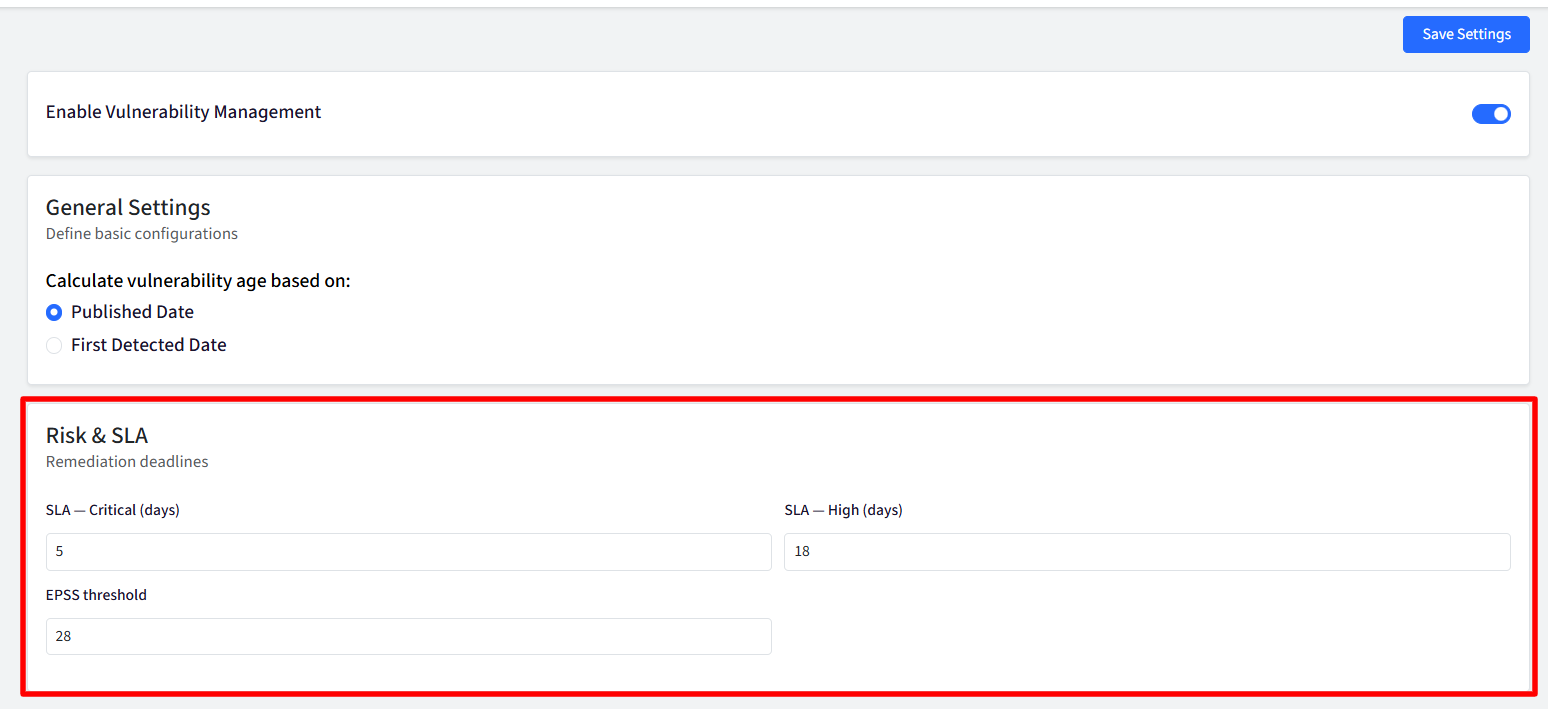
Use Risk & SLA settings to define remediation deadlines for vulnerabilities and configure the EPSS threshold used in risk calculations.
SLA — Critical (days)
Define the number of days allowed to remediate Critical severity vulnerabilities. The configured SLA is also used as a prioritization signal in dashboards. This can be set from 1 to 365 days
Recommended: 1–30 days
SLA — High (days)
Define the number of days allowed to remediate High severity vulnerabilities. The configured SLA is also used as a prioritization signal in dashboards. This can be set from 1 to 365 days
Recommended: 7–60 days
EPSS Threshold
Set the EPSS score threshold used in vulnerability risk calculations.
The Exploit Prediction Scoring System (EPSS) estimates the likelihood that a vulnerability will be exploited in the wild, typically over the next 30 days. When a vulnerability's EPSS score exceeds the configured threshold, it is given additional consideration when calculating device risk scores. This can be set from 1 to 100
After configuring the available settings, select Save Settings to save your changes.