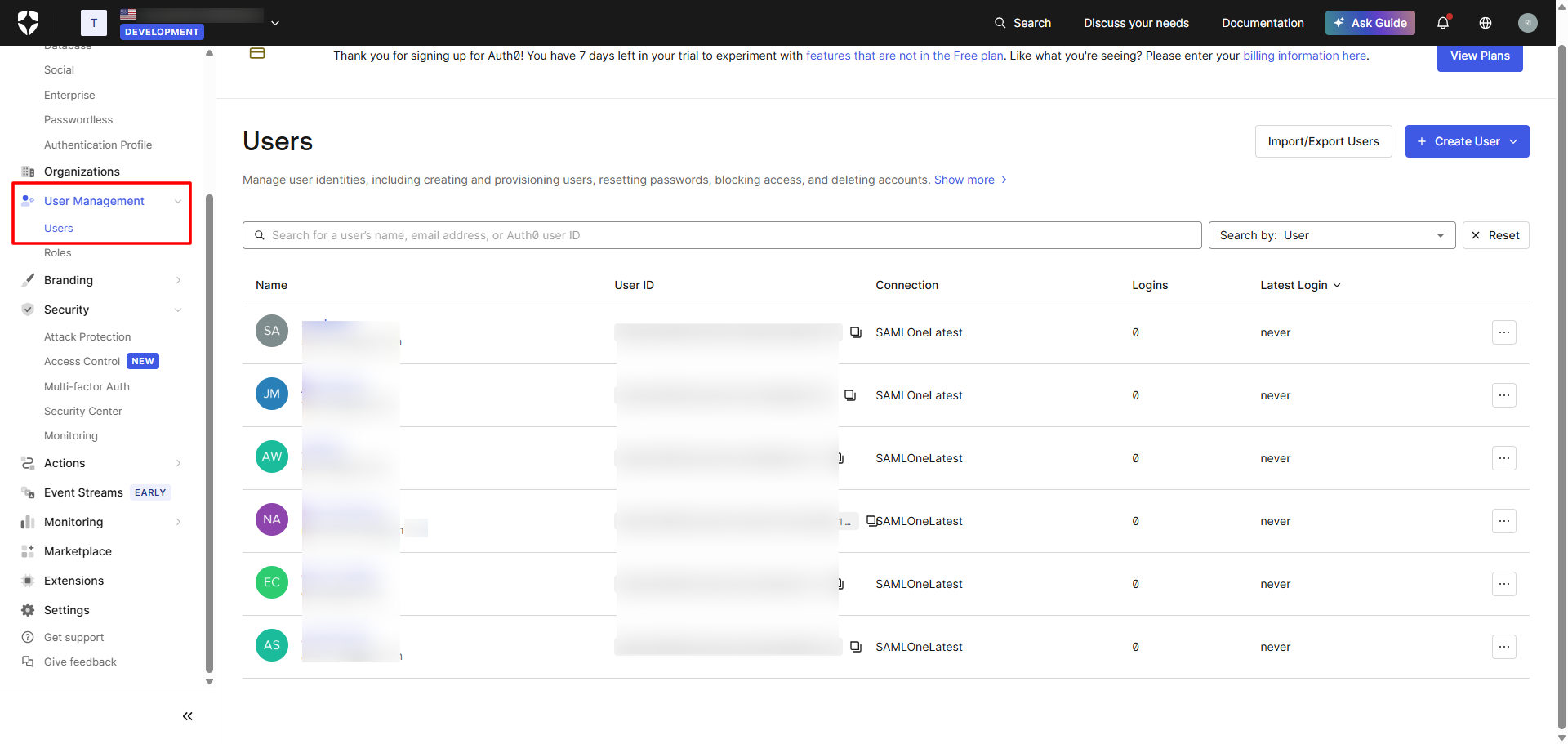
This guide outlines the steps to obtain the SCIM Endpoint URL and Bearer Token from the Auth0 console, which are required to configure the Auth0 SCIM Outbound Connector in the Scalefusion Dashboard. These credentials enable automatic provisioning and synchronization of users and groups from OneIdP to Auth0.
Steps on Auth0 Console
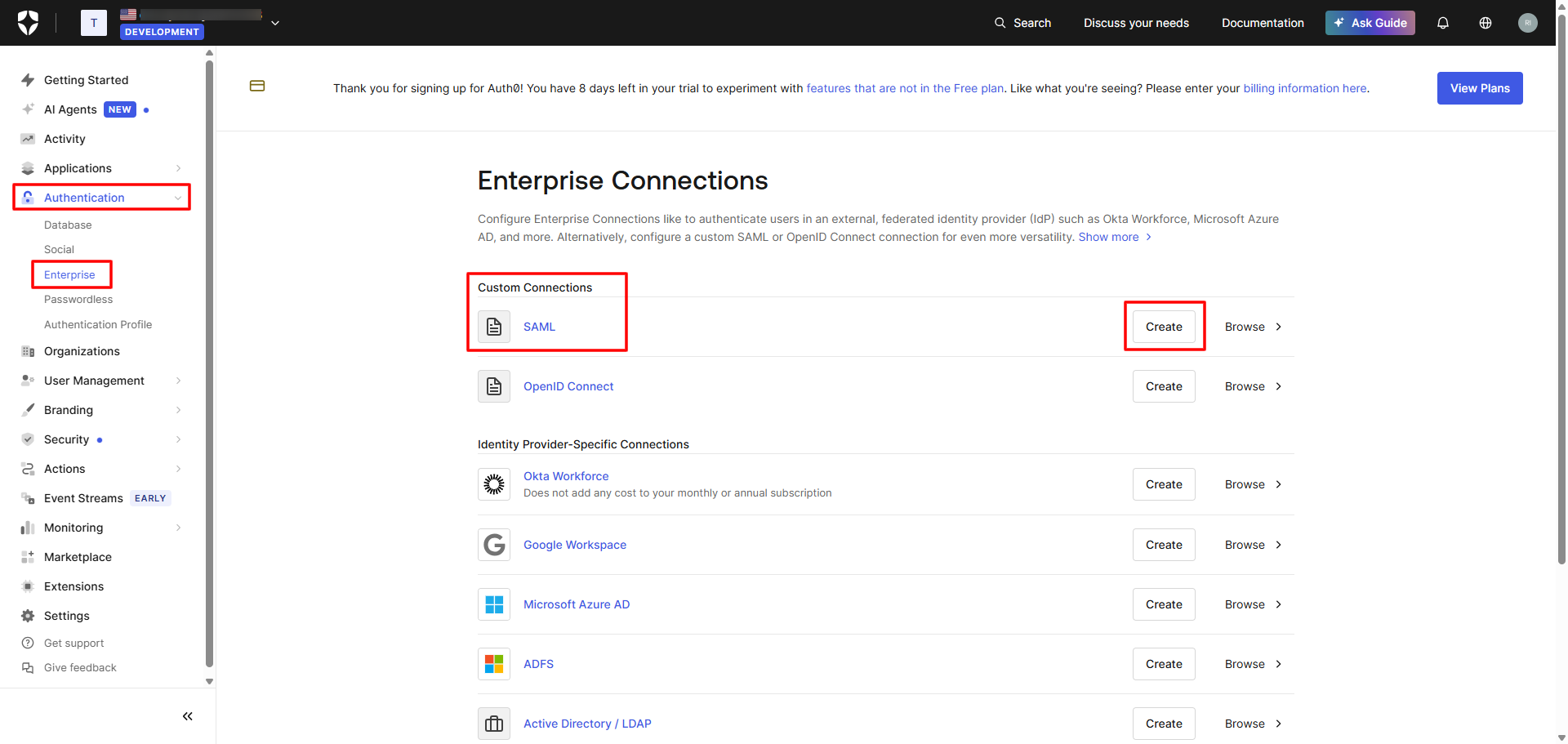
Navigate to Authentication > Enterprise and click on Create in front of SAML (under Custom Connections)
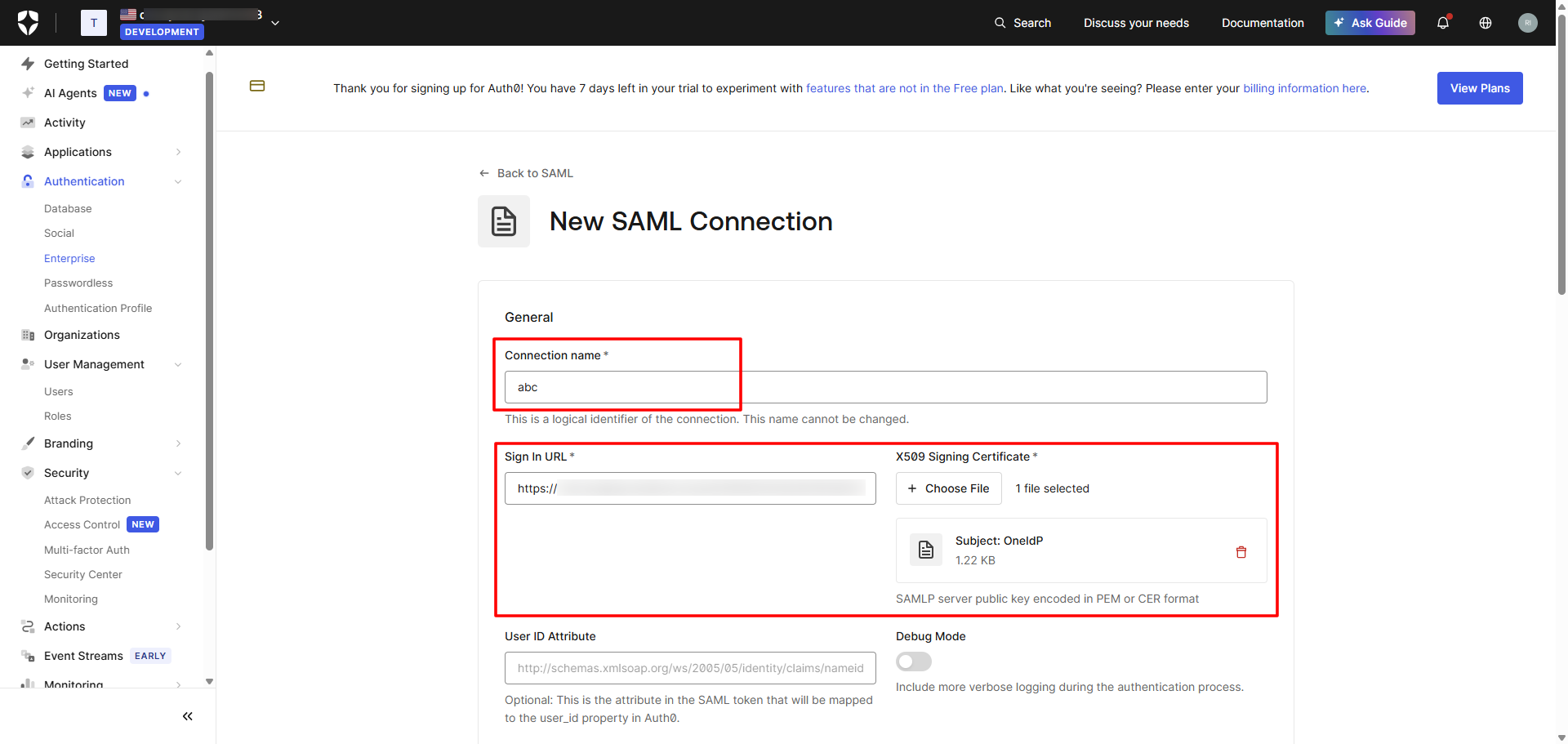
Enter the following details for a new SAML connection:
Connection name
Sign in URL and Certificate (These are to be taken from Scalefusion Dashboard present in SSO Configurations > SSO Settings)
Scroll down and click on Create
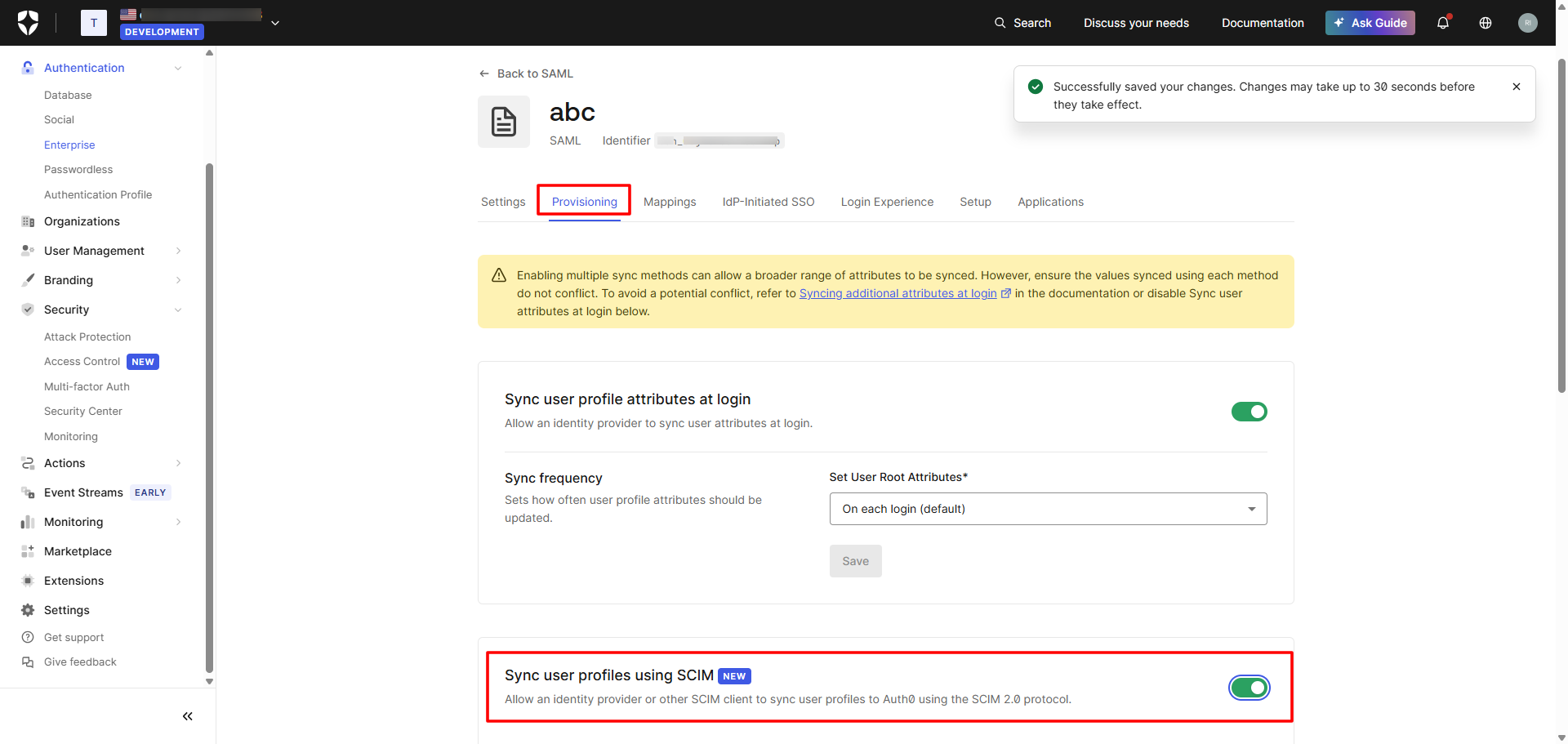
Navigate to Provisioning tab and enable Sync user profiles using SCIM
Next, under Setup tab, you will find both SCIM Endpoint URL and Bearer Token. Copy both and add on the Scalefusion Dashboard in the SCIM Outbound configuration you are creating for Auth0.
Note: Click on Generate New Token to generate bearer token.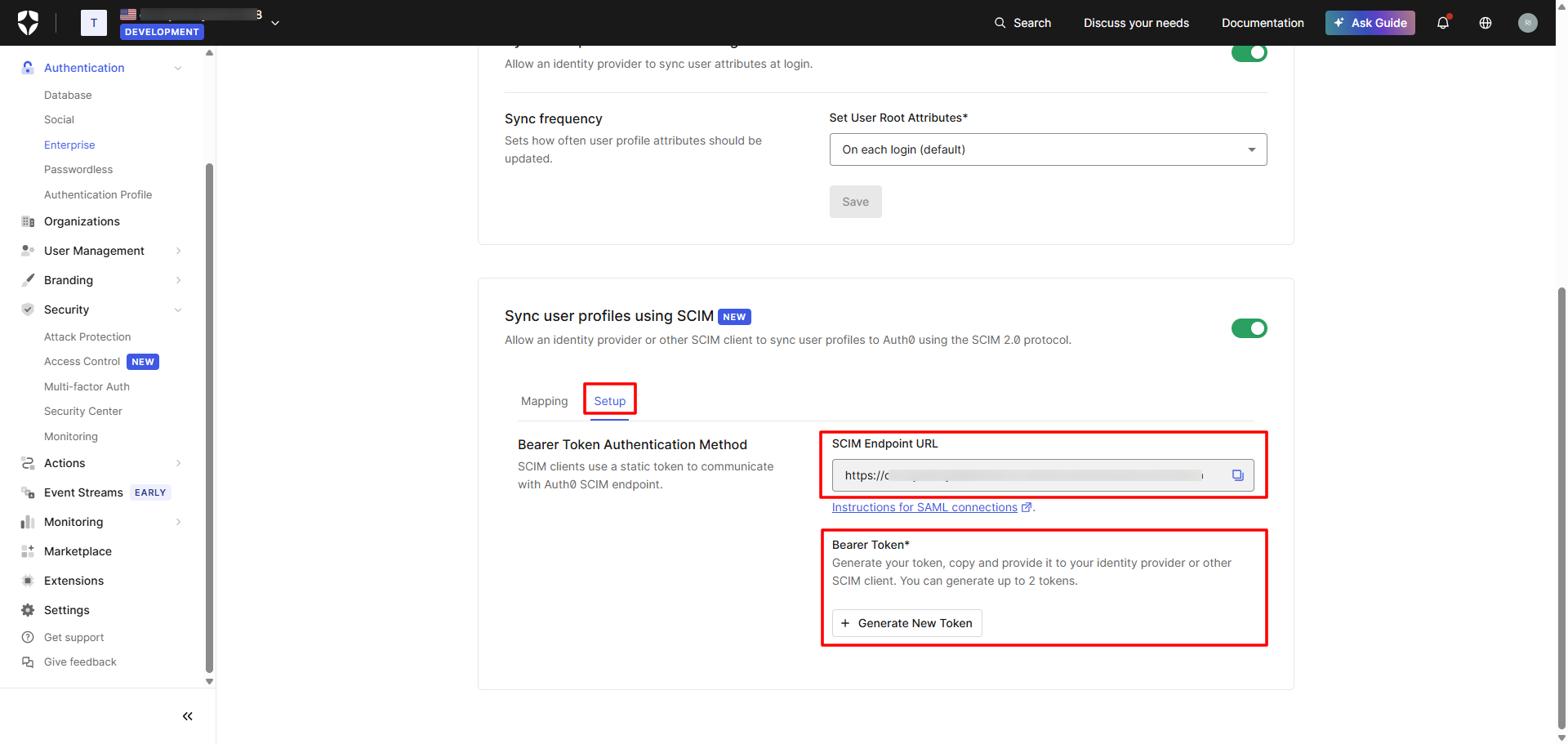
Once the configuration is completed in the Scalefusion Dashboard and published to the required Directory or SSO configuration, users will begin syncing and will appear in the Auth0 console under User Management > Users section.