To configure the Atlassian SCIM Outbound Connector in the Scalefusion Dashboard, you will need the SCIM Base URL and API Key generated from your Atlassian directory. These credentials enable OneIDP to securely provision and synchronize users and groups to Atlassian. This guide outlines the prerequisites and the steps required to obtain these details from the Atlassian console.
Pre-Requisites
Directory should be added in Atlassian and should be verified.
Steps on Atlassian Console
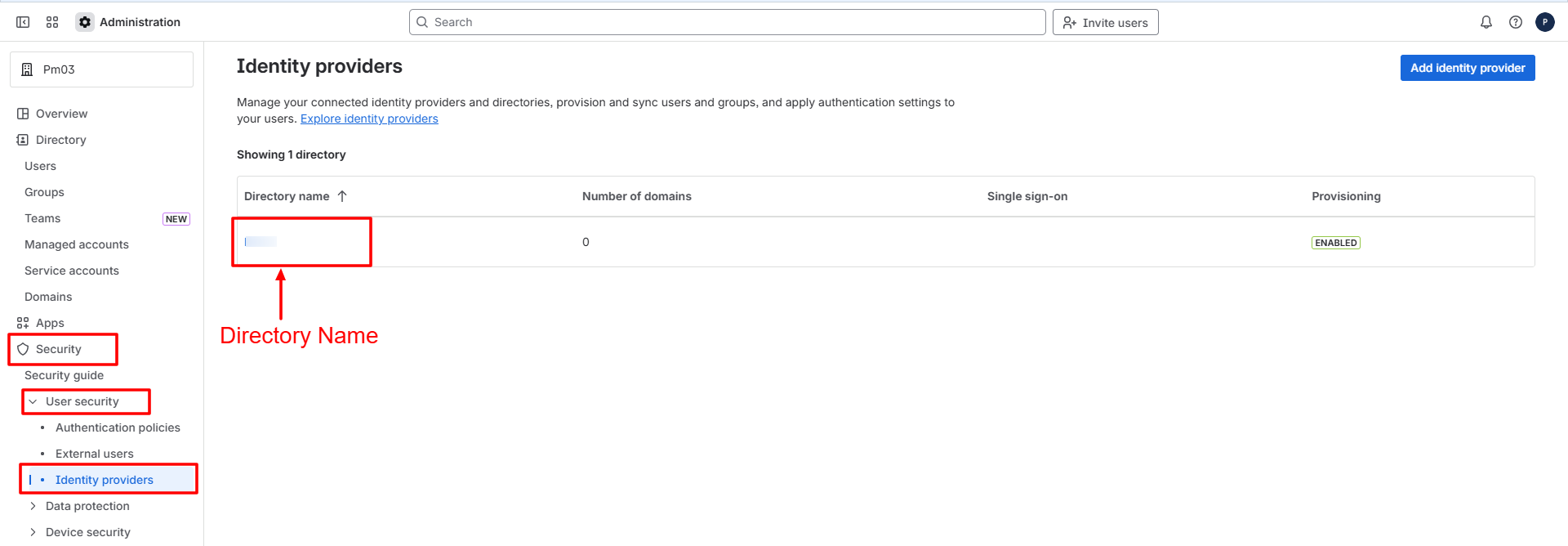
Navigate to Security > User Security > Identity Providers and click on the directory name
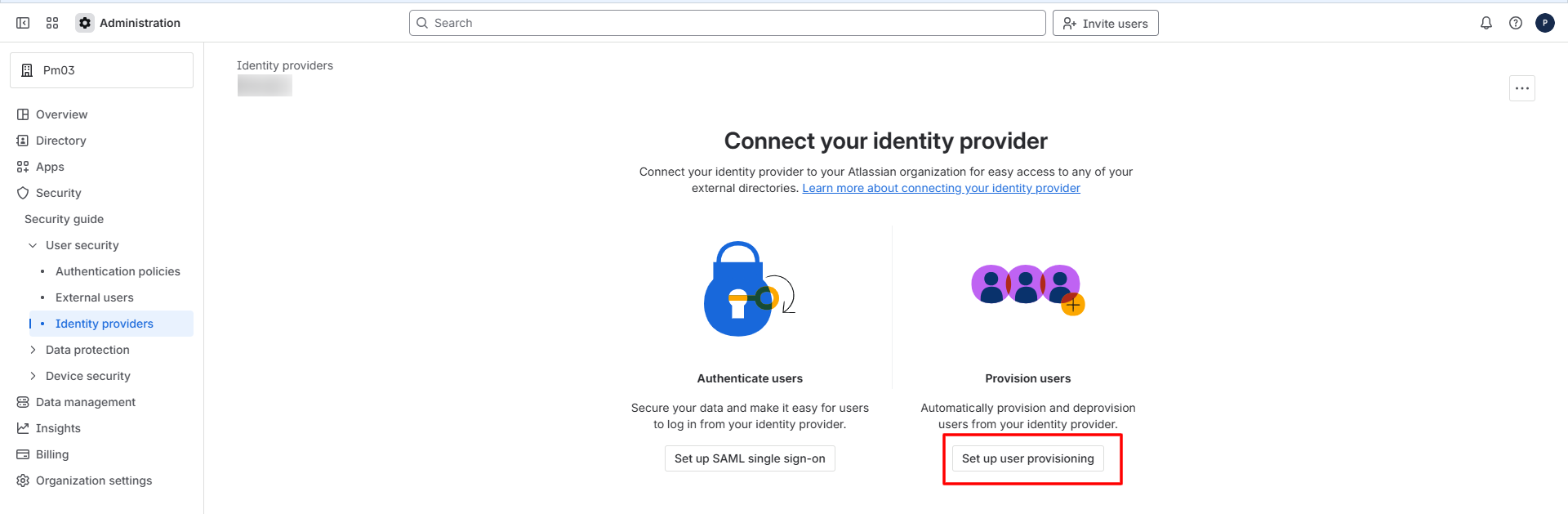
Click on Setup User Provisioning
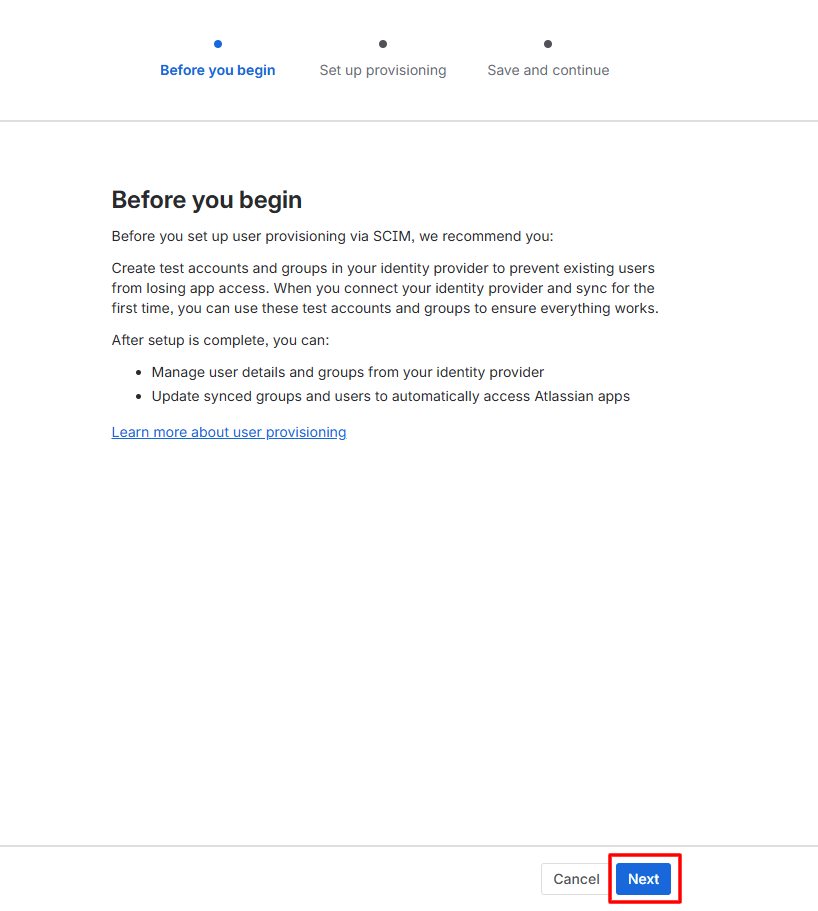
On the next page, click on Next at the bottom
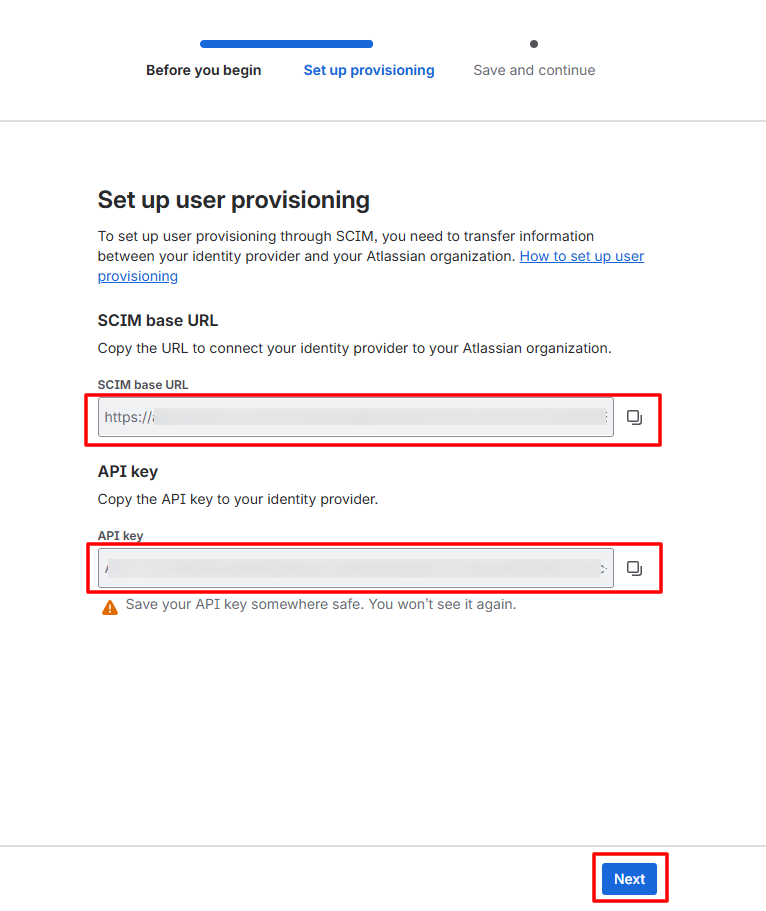
Copy both SCIM base URL and API Key and add on the Scalefusion Dashboard in the SCIM Outbound configuration you are creating for Atlassian.
Note: SCIM base URL corresponds to SCIM Endpoint URL and API Key corresponds to API token on the Scalefusion Dashboard.
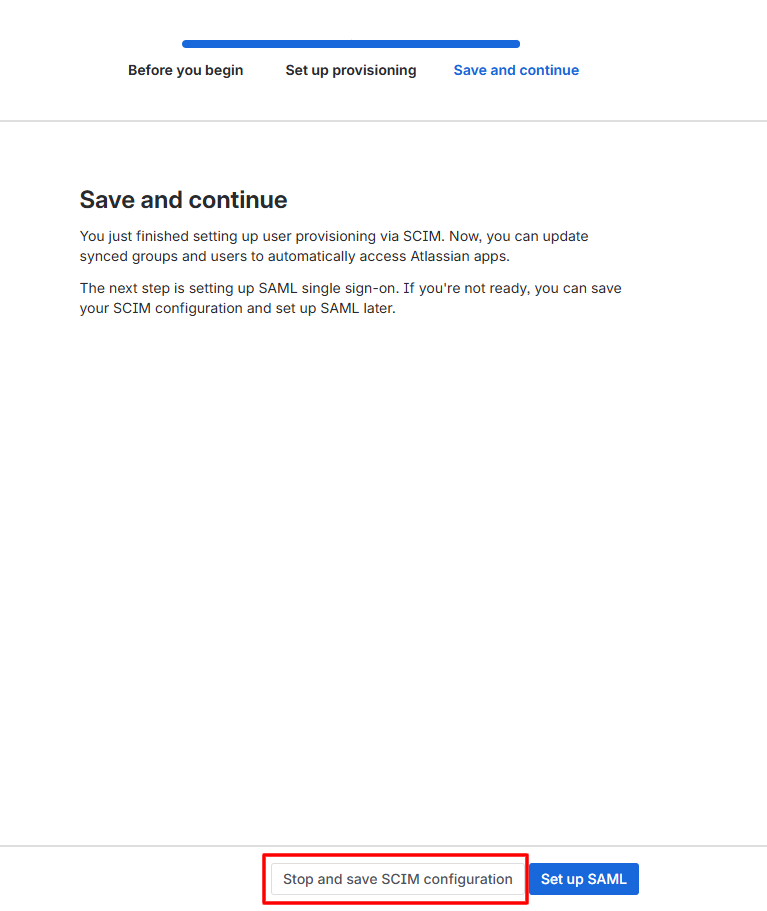
On the next page, click on Stop and Save SCIM configuration
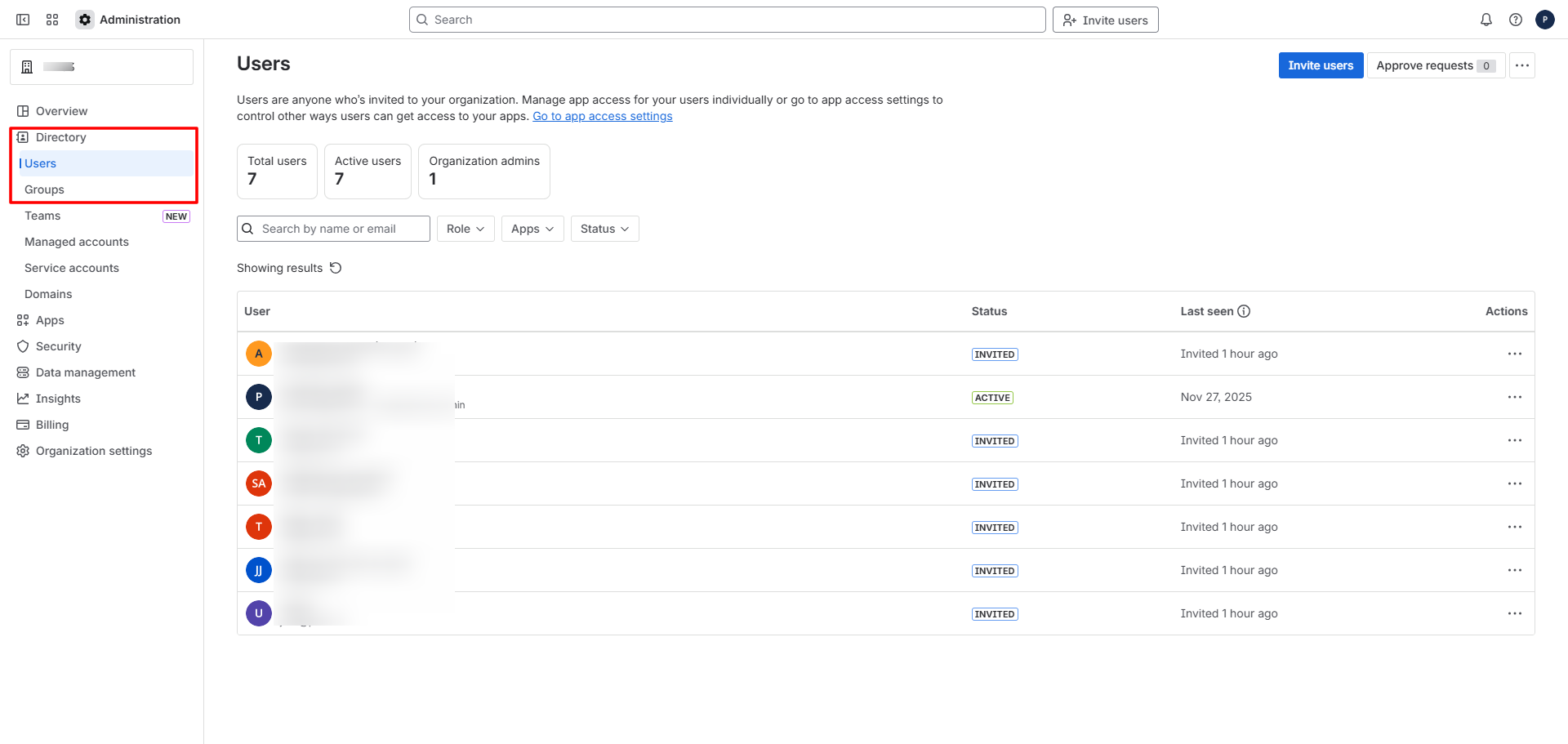
Once the configuration is completed in the Scalefusion Dashboard and published to the required Directory or SSO configuration, users and groups will begin syncing and will appear in the Atlassian console under Directory > Users and Directory > Groups section respectively.
Important Points to Note
Groups are displayed in the Atlassian console only when at least one application is present and assigned in the console.
Group updates are not supported in Atlassian. If a group name is changed in the Scalefusion database, the updated name will not be reflected in Atlassian.
If a user is deleted from the Scalefusion database, the corresponding user account in Atlassian is deactivated, not permanently deleted.