Vulnerability Management is the continuous process of identifying, assessing, prioritizing, and remediating security vulnerabilities across an IT environment. Scalefusion Veltar identifies vulnerabilities in the operating systems and applications installed on managed devices and uses vulnerability intelligence and risk indicators such as CVE, CVSS, EPSS, KEV, Severity, and SLA to help administrators understand and prioritize remediation.
Vulnerability information is presented in different ways across Vulnerability Management sections based on the context. For example, vulnerabilities can be viewed by Operating System, Application, Device, or individual Vulnerability (CVE). Each view provides relevant details such as affected versions, affected devices, severity, risk indicators, detection information, and available remediation actions.
This document describes how Scalefusion Veltar identifies, presents, assesses, and helps remediate vulnerabilities across these different views.
Supported Platforms
Windows
macOS
Pre-Requisites
Devices should be enrolled in Scalefusion
Veltar must be enabled for your account
Data Sources
The system utilizes a background job, scheduled to run hourly, that fetches data from multiple sources, including the National Vulnerability Database (NVD) and Microsoft Security Response Center (MSRC).
General Terminology
The following terms are used in Scalefusion Veltar Vulnerability Management to identify, assess, prioritize, and track vulnerabilities.
CVE
Common Vulnerabilities and Exposures (CVE) is a unique identifier for a publicly disclosed vulnerability. CVE details are sourced from the National Vulnerability Database (NVD).
CPE
Common Platform Enumeration (CPE) is a standardized naming convention used to identify software, operating systems, and other platforms affected by a vulnerability. CPE details are sourced from NVD.
CVSS Score
Common Vulnerability Scoring System (CVSS) is a numerical score from 0.0 to 10.0 that indicates the severity of a vulnerability based on its potential impact and exploitability. Scalefusion uses the latest available CVSS score from NVD.
EPSS Score
Exploit Prediction Scoring System (EPSS) estimates the likelihood that a vulnerability will be exploited in the wild in the near term. EPSS scores range from 0 to 1. For example, an EPSS score of 0.50 indicates a 50% estimated likelihood of exploitation.
Severity
Severity indicates the potential impact of a vulnerability. Vulnerabilities are typically categorized as Critical, High, Medium, or Low, based on their CVSS score.
KEV
Known Exploited Vulnerabilities (KEV) identifies vulnerabilities that are known to be actively exploited. Scalefusion uses the CISA Known Exploited Vulnerabilities (KEV) Catalog to identify these vulnerabilities.
CVSS Vector
A CVSS Vector is an encoded string that provides details about the metrics used to calculate a vulnerability's CVSS score.
Published Date
The Published Date is the date when a CVE was first published by the vulnerability information source, such as NVD.
Modified Date
The Modified Date is the date when a CVE record was most recently updated or corrected by the vulnerability information source.
First Detected Date
The First Detected Date is the date when Scalefusion first detected a CVE on a device in your environment.
Last Detected Date
The Last Detected Date is the most recent date when Scalefusion detected a CVE on a device during a scan or synchronization.
Vulnerability Age
Vulnerability Age is the number of days since a selected reference date, such as the CVE's Published Date or First Detected Date.
Remediation
Remediation refers to the actions taken to reduce or eliminate the risk associated with a vulnerability. This may include applying a security patch, updating software, or taking other corrective actions.
SLA
A Service Level Agreement (SLA) defines the target timeframe for remediating a vulnerability based on its severity. For example, an organization may set a 7-day SLA for Critical vulnerabilities and a 14-day SLA for High vulnerabilities.
Risk Score
Risk Score is a composite indicator used by Scalefusion to represent the relative risk associated with a device. It can take factors such as vulnerability severity, age, KEV status, and EPSS into account. It ranges up to 100, where higher scores indicate greater risk.
Enabling Vulnerability Management
The feature must first be enabled via the Settings section. To do so,
On Scalefusion Dashboard, navigate to Veltar > Vulnerability Management
Go to Settings tab and toggle on the setting Enable Vulnerability Management
Click on Save Settings
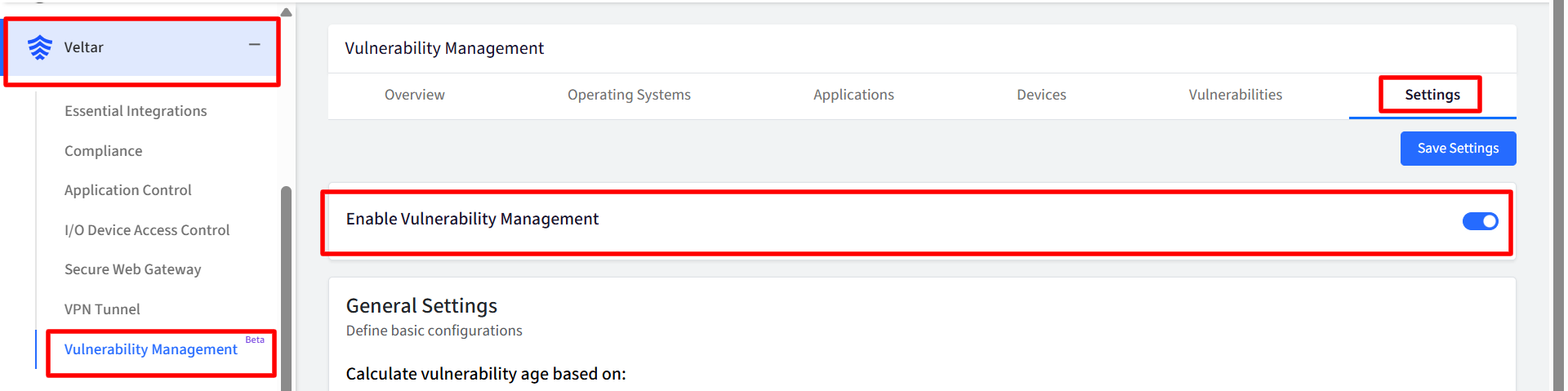
Following are the sections, under which you can manage Vulnerabilities:
These are described in detail in further documents.

Detailed View (Side Drawer / Slide-over Panel)
Clicking on interactive items in the table (Version, Total CVEs, or Devices), under each section, slides open a dedicated detail panel on the right side of the screen.
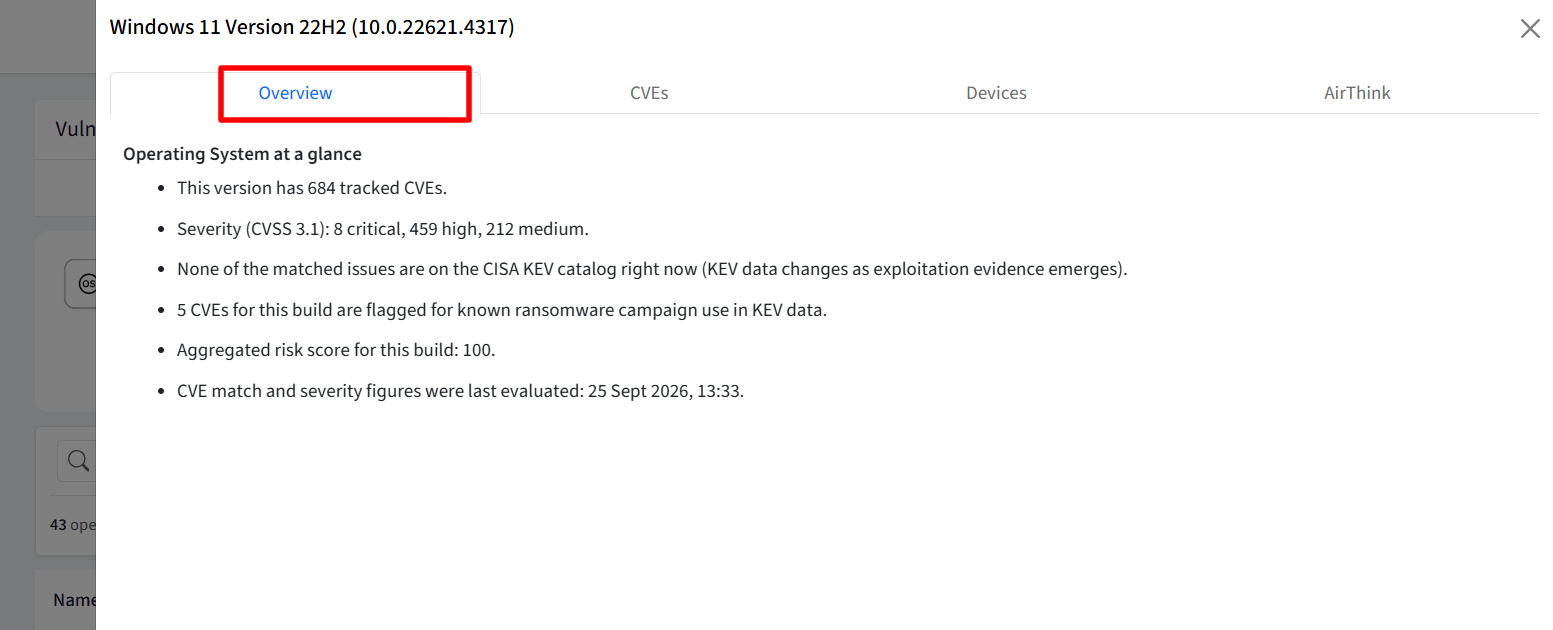
Overview: Provides an overview of connected vulnerabilities, including timeline details.
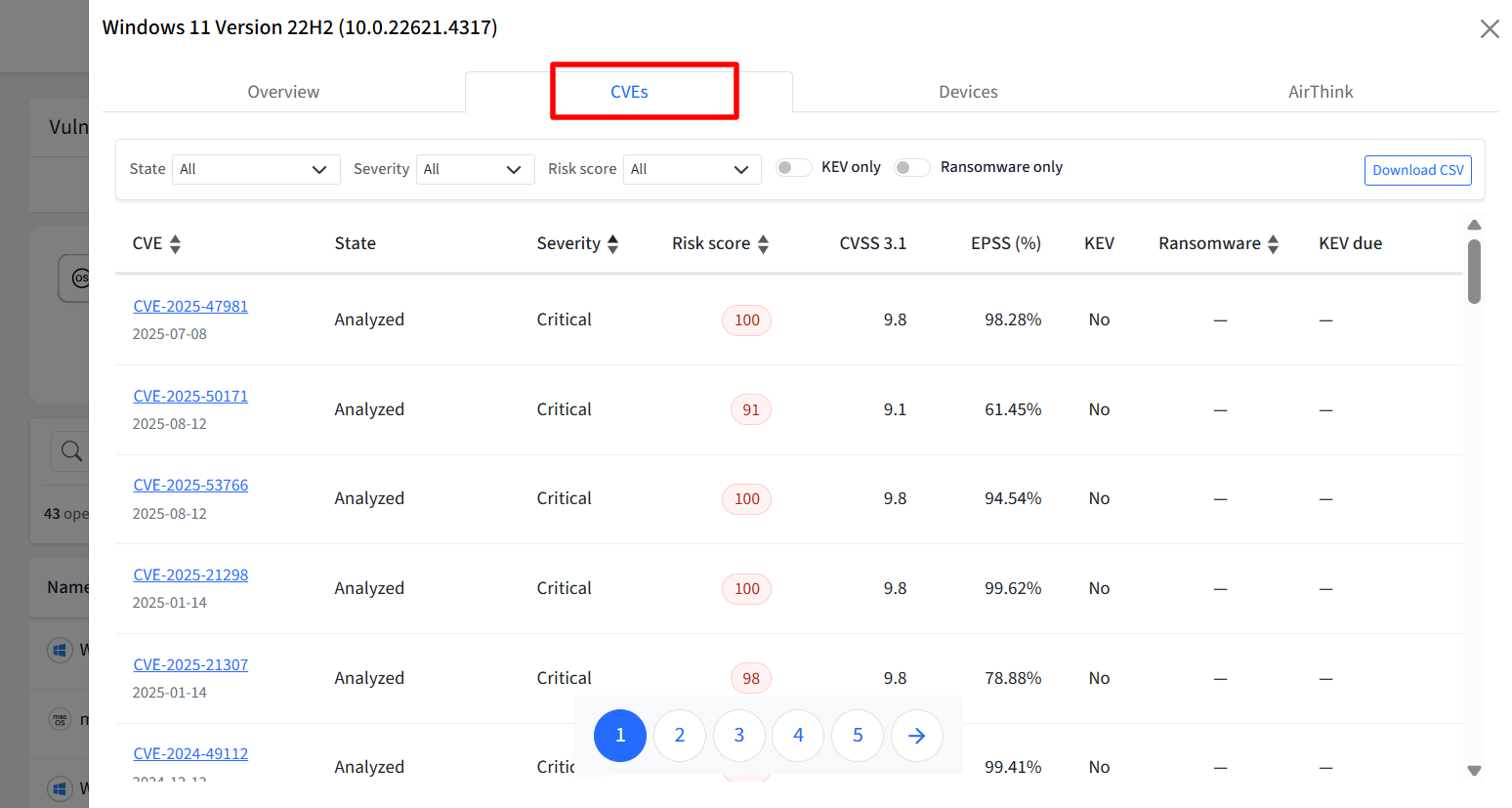
CVEs: Lists all associated vulnerabilities along with state, severity, score, and ransomware flags.
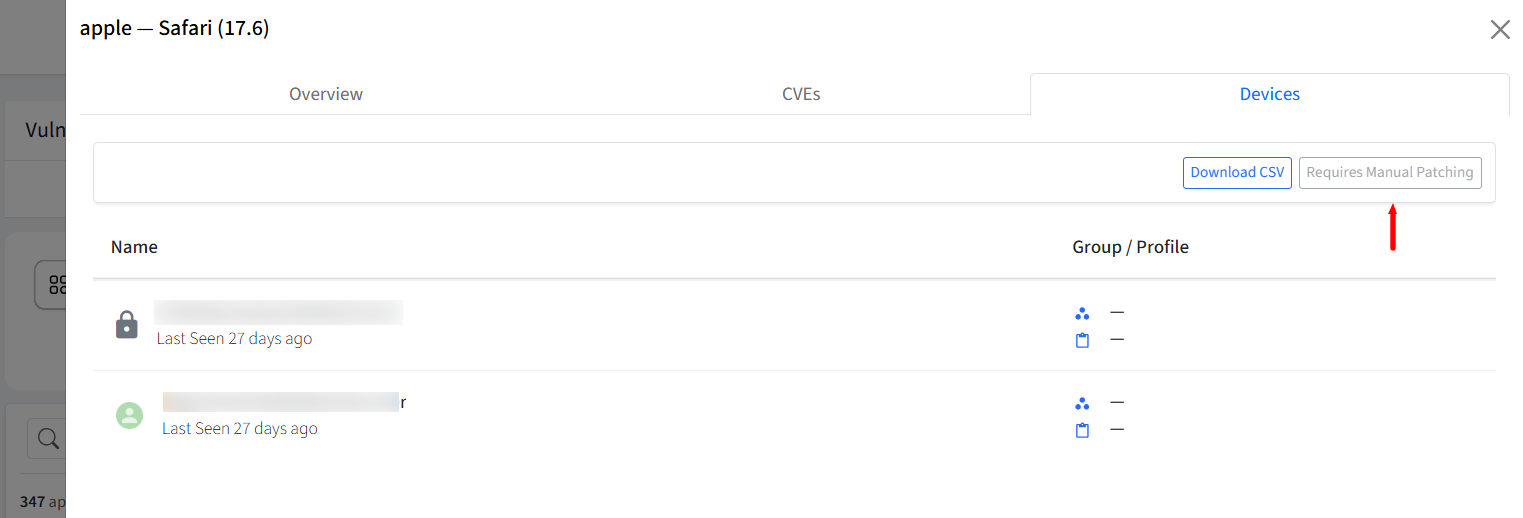
Devices: Shows the list of specific devices running that OS, with a Patch Now option to initiate OS updates or trigger creation workflows tailored to the platform.
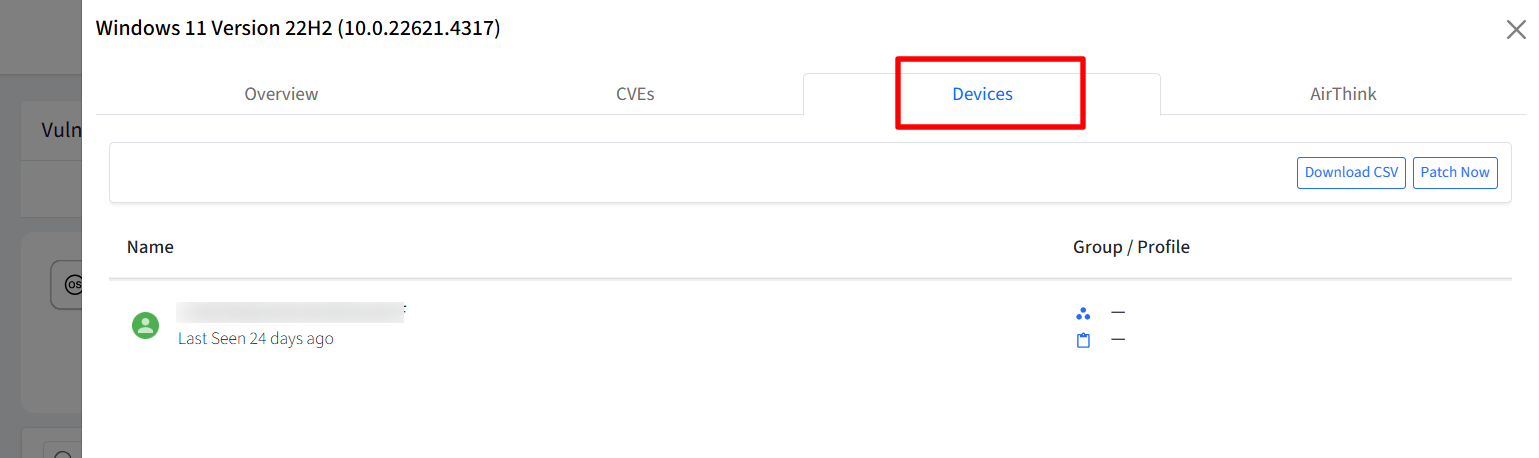
Export Data: Offers a Download CSV option to export table data for CVEs and Devices.
Patching & Redirection
Clicking Patch Now initiates application patching:
macOS: Redirects users automatically to Enterprise App, Mac App Catalog, or prompts to add a new Application in the App Catalog section if not added.
Windows: Redirects to the Windows App Patches section filtered by the specific app/device.
Manual Patching: Displays a Requires Manual Patching tag if automated patching is unsupported.
Auditing
Vulnerability Management actions are logged for auditing. To download the activity, go to Reports → Account Activity and select Vulnerability Management from the activity type filter.