Scalefusion now supports a terminal command that lets you retrieve information about an already-installed application directly from an enrolled macOS endpoint, without needing to check the Dashboard. This is useful for on-the-spot verification during app deployment or troubleshooting.
Pre-requisites
Ensure these conditions are met on the target macOS endpoint:
Active MDM Client: The Scalefusion Agent/Client must be installed and active on the device.
Terminal Access: You must have access to the Terminal application on the macOS endpoint.
Valid Path: You must know the exact path to the installed application.
Steps to Check an Installed App
Open Terminal: Open the Terminal application on the macOS endpoint.
Run the Command: Run the following command, replacing
<app_path>with the full path to the installed application:
scalefusion -fileinfo <app_path>Example: scalefusion -fileinfo /Applications/Brave\ Browser.app
Review the Output: The command returns the relevant details for the specified application directly in the Terminal window.
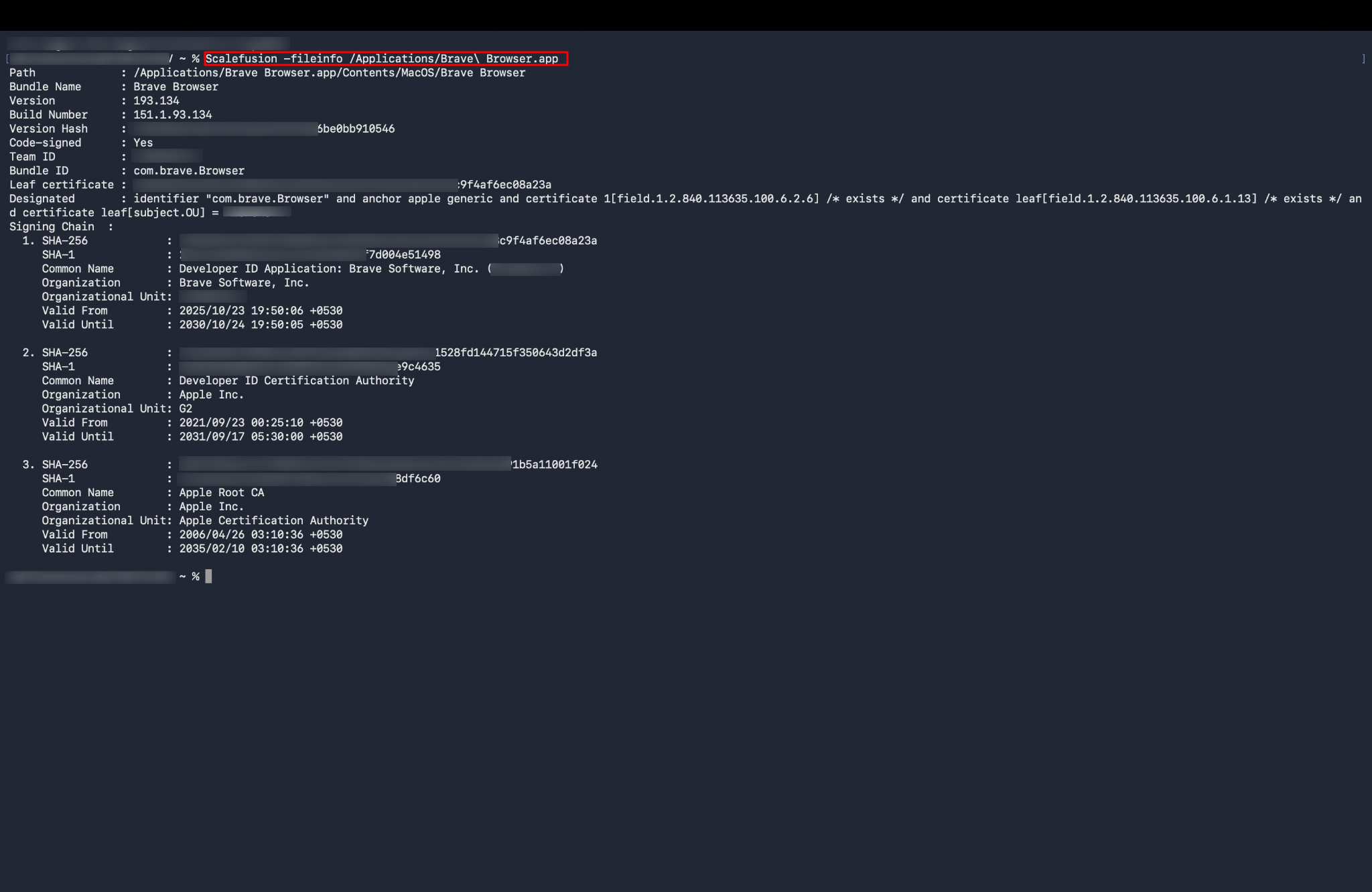
Expected Result
Scalefusion returns details about the specified installed application, allowing admins to verify app information directly and in a much simplified manner