Introduction
Okta is a cloud-based Identity and Access Management (IAM) platform that enables organizations to securely manage user authentication and access across multiple applications and systems.
With OneIdP’s integration with Okta, IT Admins can seamlessly configure Okta as an Identity Provider using a single API-based setup, simplifying the integration process.
Prerequisites
Please make sure you have created the SSO configuration for the service you want to access and set Okta as its Identity Provider.
Also, make sure that the user(s) are present in the Okta portal and the respective service’s portal that you are trying to access.
The same user(s) must be present in Scalefusion, and the SSO configuration of the respective service is applied to it.
Configuring OKTA as an Identity Provider with API
Navigate to OneIdP > Identity Provider.
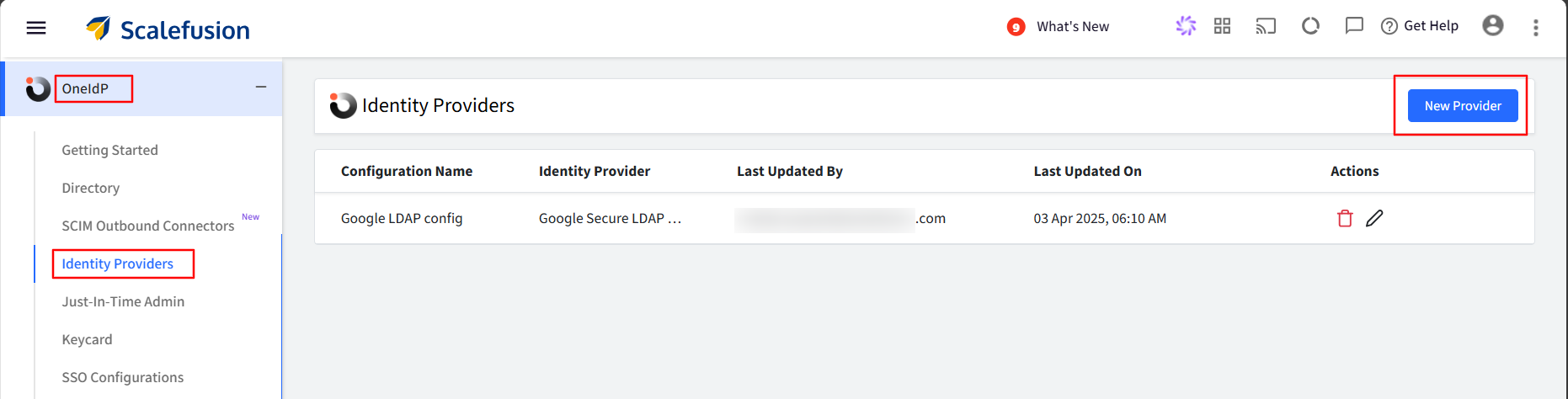
Click the New Provider button.
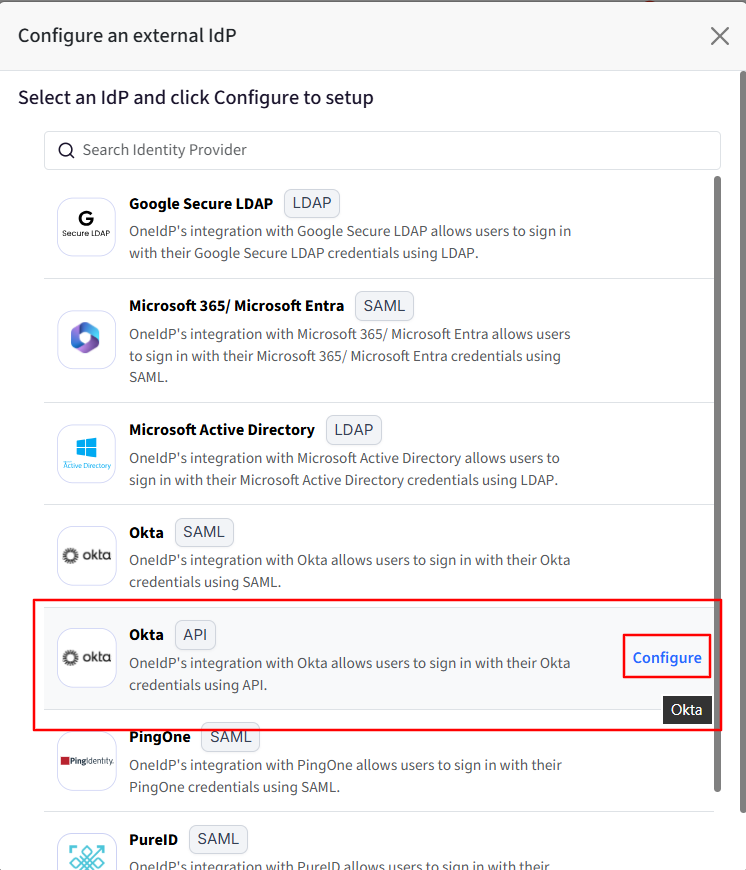
Select the OKTA API, then click Configure.
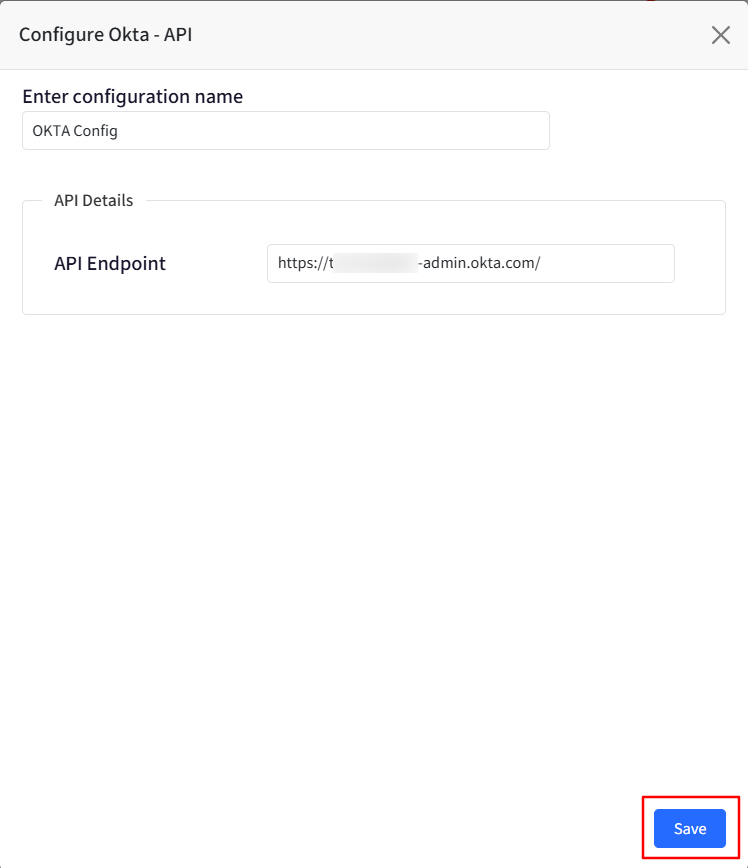
Provide a name for this configuration to make it easy to identify.
Enter the API Endpoint details and click Save. API Endpoint is the OKTA Portal login URL.
User Experience
When a user attempts to log in to a service configured with OneIdP SSO, they will be redirected to the OneIdP login page.
After entering their email address and clicking Continue, the user will be prompted to enter their password.
The user should enter their Okta password.
OneIdP will then validate the entered password.
If the password is correct, the configured next step (such as Conditional Access verification) will be triggered.
If the password is incorrect, an appropriate error message will be displayed.
Note:
For newly onboarded users in the Okta portal, if the admin assigns a temporary password and selects the option “User must change password on first login”, Okta will not allow authentication using that temporary password. As a result, password verification will fail on the OneIdP page, since the temporary password cannot be validated through the standard login flow.
Similarly, for existing users, if an admin resets the password and sets a temporary password, login attempts via OneIdP will also fail for the same reason.
Recommended Approach:
For newly onboarded users, it is recommended that they set up their password using the “Activate Okta Account” link provided in the Welcome Email.
For existing users, instead of assigning a temporary password, it is recommended to send a password reset email so the user can securely create a new password.
Difference Between Okta API and Okta SAML IdP
In the case of the Okta API, the user’s Okta password is verified on the OneIdP login page.
In the case of Okta SAML, the user is redirected to the Okta login page for password verification.
FAQ
Can I reset the user's Okta password from the Scalefusion Dashboard?
No, password reset is not supported for the Okta API Identity Provider.