---
title: "Customize apps on Dock on Mac devices."
slug: "customize-apps-on-dock-on-mac-devices"
updated: 2026-02-12T10:27:33Z
published: 2026-02-12T10:27:33Z
canonical: "help.scalefusion.com/customize-apps-on-dock-on-mac-devices"
---
> ## Documentation Index
> Fetch the complete documentation index at: https://help.scalefusion.com/llms.txt
> Use this file to discover all available pages before exploring further.
# Customize apps on Dock on Mac devices.
The following Payload helps IT Admins to set apps on the Dock.
1. Copy the contents below directly and add them to **Apple Configurations** > **Custom Configurations** for Mac, or click [**here**](https://cdn.document360.io/175c0eac-012f-4410-bdc5-ac60794f82d8/Images/Documentation/payload%20for%20dock%20configuration%20macOS.xml) to download the file and import it.
2. Follow our [**guide**](/docs/custom-configuration-ios-and-macos) on how to add the Custom Payload in the Apple Configurations & deploy it to devices.
```xml
PayloadContent
PayloadDisplayName
Dock config
PayloadIdentifier
AB9301194B6C
PayloadType
com.apple.dock
PayloadUUID
BB3E76D4-45D0-4B0A-8067-ED9301194B6C
PayloadVersion
1
static-apps
tile-data
file-data
_CFURLString
/System/Applications/AppName.app
_CFURLStringType
0
file-label
AppName
file-type
1
label
AppName
tile-type
file-tile
tile-data
file-data
_CFURLString
/System/Applications/AppName.app
_CFURLStringType
0
file-label
AppName
file-type
1
label
AppName
tile-type
file-tile
contents-immutable
tilesize
80
orientation
left
static-only
show-recents
PayloadDisplayName
custom-configuration
PayloadIdentifier
PAYLOAD IDENTIFIER
PayloadType
Configuration
PayloadUUID
45A58F11-B3D4-4E9E-AD90-36C3C25A838B
PayloadVersion
1
```
3. Add the application name in the above script, for example:
```xml
tile-data
file-data
_CFURLString
/System/Applications/Safari.app
_CFURLStringType
0
file-label
Safari
file-type
1
label
Safari
tile-type
file-tile
tile-data
file-data
_CFURLString
/System/Applications/Google Chrome.app
_CFURLStringType
0
file-label
Google Chrome
file-type
1
label
Google Chrome
```
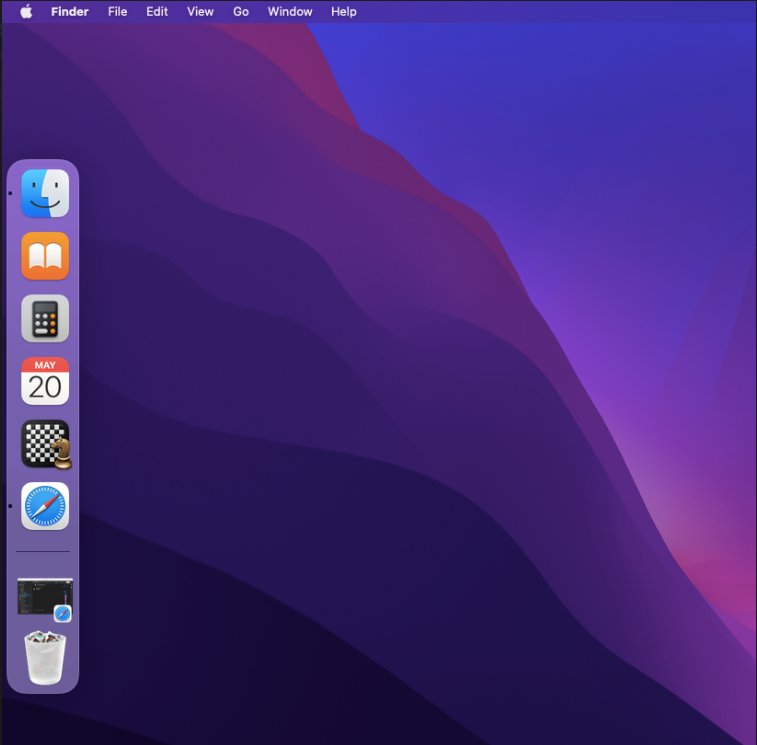
4. On the device, the mentioned apps will be displayed in the Dock. For example:
> [!CAUTION]
> Notes:
>
> 1. The Payload and its contents are sourced from various albeit authenticated Apple Developer communities and forums.
> 2. Please validate them on a test machine before deploying them on all your managed devices.
> 3. Scalefusion has tested these Payloads, however, Scalefusion will not be responsible for any loss of data or system malfunction that may arise due to the incorrect usage of these payloads.